
Bulk Bing Index Checker: Start Your Free Test
The competition is lower. The audience is wealthier. And it powers ChatGPT. Stop leaving "easy money" on the table by ignoring your Bing index status.
Instantly check if your pages are visible to the 15-20% of users who don't use Google—and the AI bots that rely on Bing data.
ChatGPT Visibility
No Bing Index = Invisible to AI
Higher Income
Bing users spend 25% more
Low Competition
Easier to rank Top-1
What is Bing Index Checking?
Let's face the brutal reality: if your page isn't in Bing's index, you are invisible to the world's wealthiest users and its smartest AI. It doesn't matter how great your content is. If Bing doesn't index it, ChatGPT cannot read it. You aren't just losing search traffic; you're losing the future.
So, how do you verify visibility?
Yes, the site: operator works. And Bing Webmaster Tools (BWT) is the official source. But try checking 5,000 backlinks or guest post URLs manually. Or debugging a "Discovered but not crawled" error across a massive e-commerce catalog. Doing this one by one isn't just slow. It’s a waste of human potential.
And here is the kicker: BWT data is often delayed, and crucially, it restricts you to domains you own. It cannot verify if your expensive backlinks on external sites are actually indexed. You need to know if all your assets are live now. This is the gap a real-time, bulk Bing index checker fills.
Bing Webmaster Tools vs. SpeedyIndex
| Feature | Bing Webmaster Tools | SpeedyIndex |
|---|---|---|
| Check Volume | Limited daily quota | 100,000+ per task |
| Check Speed | Manual / Slow | ~ 1,000 links / minute |
| Data Source | Internal Database (Cached) | Live SERP (Real-time) |
| Check 3rd Party Sites | ❌ No (Only verified sites) | ✅ Yes (Any URL) |
| Indexing reports | ❌ No | ✅ Detailed reports (.xlsx) |
| Automation | ❌ No | ✅ REST API |


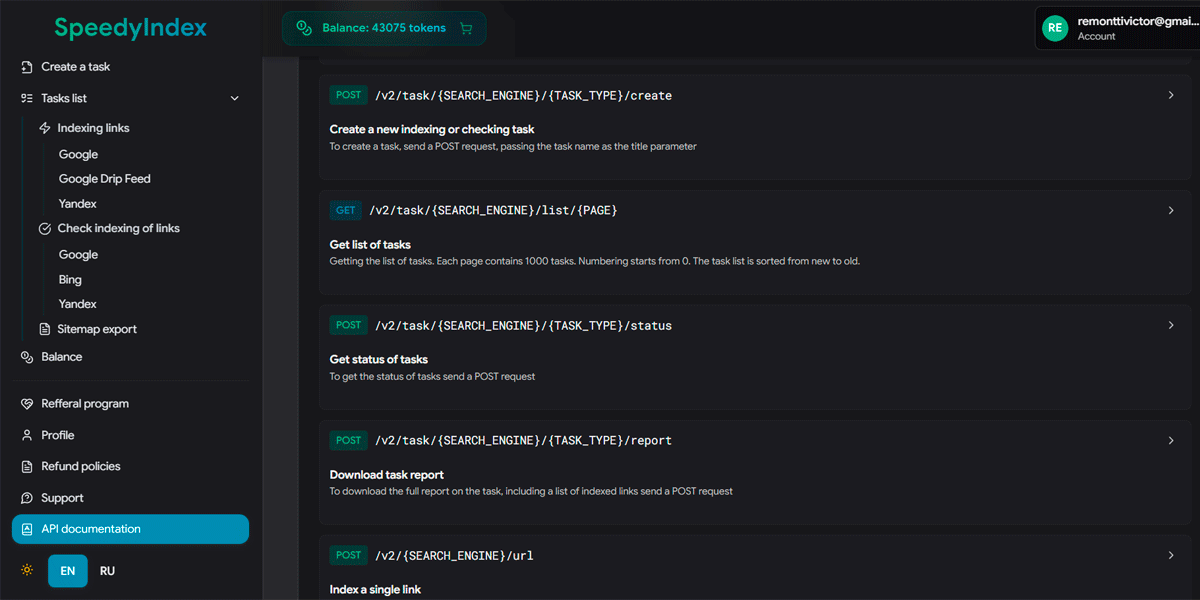
How to Bulk Check Bing Index Status
You don't need separate accounts or complex setups. Our tool handles Bing checks with the same speed and simplicity as Google.
Load Your List
Export all URLs from your sitemap or your backlink list into a .txt file. We can handle up to 100,000 URLs in one go. Don't worry about formatting; just one URL per line works.
Select "Bing" & Run
In the Web App or Telegram bot, simply choose the Bing search engine option. Upload your file. That's it.
Get a Detailed Report
You get a downloadable report. We check if the page is actually in the SERP, ensuring it's available for users and AI bots like Copilot and ChatGPT.
Our Method: We confirm status using multiple queries, including url:URL, for over 99% accuracy.
See The Tool in Action
Watch this 90-second video to see how easily you can check thousands of URLs directly via SpeedyIndex Web App.
Strategic Advantages of Bing Search Traffic
Most people treat Bing as a joke. Smart marketers see Bing as an untapped high-yield channel. While your competitors are burning budgets fighting for a single click in Google, the "Blue Ocean" of Bing is wide open.
The "Corporate" Audience
Millions of office workers use Windows PCs where Edge (and Bing) is locked as the default. These aren't casual browsers; they are B2B buyers, decision-makers, and high-income shoppers who don't bother installing Chrome.
The Gateway to AI
This is the big one. ChatGPT uses Bing for its browsing capabilities. If your content isn't indexed in Bing, it effectively doesn't exist for the world's most popular AI. Don't let AI ignore your brand.
Easy Top Rankings
Ranking #1 in Google requires a war. Ranking #1 in Bing often requires just... showing up. Once you verify your pages are indexed, you often jump straight to the top simply because no one else is trying.
Diversification is Safety
Google updates can wipe out your traffic overnight. Bing is stable. Having a strong presence here isn't just "extra" traffic; it's your insurance policy against Google's volatility.
Common Bing Indexing Errors & Solutions
Bing is stricter than Google when it comes to technical quality and on-page signals. Understanding Bing Webmaster Tools (BWT) errors is key to unlocking AI visibility. For detailed guidelines, refer to the official Bing Webmaster Guidelines.
| Bing Status / Issue | What It Really Means | Specific Fix for Bing |
|---|---|---|
| Frequent issues (most common) | ||
| Discovered but not crawled | Bing knows the URL exists but skips it to save resources. Unlike Google, in Bing this often signals low domain authority or poor internal linking structure. | Increase internal links to these pages. Use the IndexNow protocol to force a priority crawl. |
| Crawled but not indexed | Your content was read but deemed "low value." Bing favors long-form, authoritative content and penalizes thin affiliate pages heavily. | Add unique value. Bing loves multimedia (images/video). Update the content and resubmit via SpeedyIndex. |
| Redirect Loop / 302 | Bing struggles with complex redirect chains more than Google. A 302 (temporary) redirect left for too long can cause de-indexing. | Strictly use 301 Redirects. Ensure redirect chains are no longer than 2 hops. |
| Blocked by Robots.txt | You are blocking Bingbot or AdIdxBot (used by Bing Ads). |
Check your robots.txt for User-agent: Bingbot rules. Ensure you aren't blocking the AI crawlers. |
| Critical problems (high impact / sitewide risk) | ||
| Malware / Spam Flag | Bing is paranoid about security. If your site has a history of hacked content or aggressive affiliates, Bing de-indexes the entire domain faster than Google. | Audit for injected links. Request a review via BWT only after a complete clean-up. |
| Less common issues (still important) | ||
| Soft 404 / “Page not found” (but returns 200) | Bing may treat the page as non-existent if the content looks like an error page (thin template, “no results”, empty category) even when the HTTP code is 200. | Return real 404/410 when appropriate, or add meaningful content (products, text, internal links). Avoid indexing empty faceted/filter pages. |
| Canonical mismatch / duplicate consolidation | Bing may choose a different canonical than you expect, or consolidate duplicates created by parameters, trailing slashes, www/non-www, http/https variants. | Standardize URL format (301), fix rel="canonical", and ensure internal links point to the canonical URL consistently. |
| 5xx server errors / timeouts during crawl | Intermittent backend errors or slow responses can cause Bing to back off crawling and delay indexing. | Stabilize server performance, fix application errors, and ensure critical pages respond quickly and consistently (especially at peak load). |
| Blocked resources (JS/CSS) affecting rendering | If essential resources are blocked, Bing may fail to render content correctly and treat the page as low value or empty. | Allow crawling of critical JS/CSS, avoid blocking rendering paths in robots rules, and ensure server returns 200 for required assets. |
| Bing-specific issues (engine behavior) | ||
| IndexNow not configured / key mismatch | IndexNow submissions can silently fail when the key file is missing, hosted under the wrong path, or doesn’t match the submitted key. | Validate the IndexNow key file placement and exact key value. Re-submit a small test set and confirm crawl behavior. |
| Over-indexing low-value URLs (crawl waste) | Bing can deprioritize crawling when your site generates too many near-duplicate URLs (filters, internal search, session params). | Block junk URL patterns, consolidate with canonicals/301s, and prioritize only money pages and strong informational hubs. |
| CMS-specific issues (WordPress / Shopify / Magento / custom) | ||
| WordPress: “Discourage search engines” / SEO plugin noindex | WordPress or an SEO plugin can output noindex (or X‑Robots‑Tag) on entire templates (categories, tags, search, pagination) by accident. |
Check WP Reading settings and SEO plugin template rules. Remove unintended noindex and re-submit priority URLs. |
| Shopify: faceted URLs and duplicate collections | Collection filtering/sorting can create many parameterized duplicates that Bing may consolidate or skip. | Canonicalize filtered/sorted variants, reduce indexable parameter pages, and strengthen internal links to primary collections. |
| Magento / ecommerce: layered navigation and pagination duplicates | Layered navigation can explode URL count and create near-duplicates (same products, different filter states). | Limit indexable filter combinations, set canonicals correctly, and avoid generating crawl traps via internal links. |
| Custom CMS: incorrect redirects on mobile/geo | Conditional redirects (geo, device, language) can create loops or inconsistent responses for Bingbot. | Whitelist bots properly, avoid conditional redirect chains, and ensure a stable 200 canonical destination for crawlers. |
Bing Indexing Errors: Quick Reference Table
Bing is stricter than Google when it comes to technical quality and on-page signals. Understanding Bing Webmaster Tools (BWT) errors is key to unlocking AI visibility. For detailed guidelines, refer to the official Bing Webmaster Guidelines.
| Bing Status / Issue | What It Really Means | Specific Fix for Bing |
|---|---|---|
| Frequent issues (most common) | ||
| Discovered but not crawled | Bing knows the URL exists but skips it to save resources. Unlike Google, in Bing this often signals low domain authority or poor internal linking structure. | Increase internal links to these pages. Use the IndexNow protocol to force a priority crawl. |
| Crawled but not indexed | Your content was read but deemed "low value." Bing favors long-form, authoritative content and penalizes thin affiliate pages heavily. | Add unique value. Bing loves multimedia (images/video). Update the content and resubmit via SpeedyIndex. |
| Redirect Loop / 302 | Bing struggles with complex redirect chains more than Google. A 302 (temporary) redirect left for too long can cause de-indexing. | Strictly use 301 Redirects. Ensure the chain is no longer than 2 hops. |
| Blocked by Robots.txt | You are blocking Bingbot or AdIdxBot (used by Bing Ads). |
Check your robots.txt for User-agent: Bingbot rules. Ensure you aren't blocking the AI crawlers. |
| Critical problems (high impact / sitewide risk) | ||
| Malware / Spam Flag | Bing is paranoid about security. If your site has a history of hacked content or aggressive affiliates, Bing de-indexes the entire domain faster than Google. | Audit for injected links. Request a review via BWT only after a complete clean-up. |
| Less common issues (still important) | ||
| Soft 404 / “Page not found” | Bing may treat the page as non-existent if the content looks like an error page (thin template, “no results”, empty category) even when the HTTP code is 200. | Return real 404/410 when appropriate, or add meaningful content (products, text, internal links). Avoid indexing empty faceted/filter pages. |
| Canonical mismatch | Bing may choose a different canonical than you expect, or consolidate duplicates created by parameters, trailing slashes, www/non-www, http/https variants. | Standardize URL format (301), fix rel="canonical", and ensure internal links point to the canonical URL consistently. |
| 5xx errors / timeouts | Intermittent backend errors or slow responses can cause Bing to back off crawling and delay indexing. | Stabilize server performance, fix application errors, and ensure critical pages respond quickly and consistently (especially at peak load). |
| Blocked resources (JS/CSS) | If essential resources are blocked, Bing may fail to render content correctly and treat the page as low value or empty. | Allow crawling of critical JS/CSS, avoid blocking rendering paths in robots rules, and ensure server returns 200 for required assets. |
| Bing-specific issues (engine behavior) | ||
| IndexNow not configured | IndexNow submissions can silently fail when the key file is missing, hosted under the wrong path, or doesn’t match the submitted key. | Validate the IndexNow key file placement and exact key value. Re-submit a small test set and confirm crawl behavior. |
| Over-indexing low-value URLs | Bing can deprioritize crawling when your site generates too many near-duplicate URLs (filters, internal search, session params). | Block junk URL patterns, consolidate with canonicals/301s, and prioritize only money pages and strong informational hubs. |
| CMS-specific issues (WordPress / Shopify / Magento / custom) | ||
| WordPress: “Discourage search engines” | WordPress or an SEO plugin can output noindex (or X‑Robots‑Tag) on entire templates (categories, tags, search, pagination) by accident. |
Check WP Reading settings and SEO plugin template rules. Remove unintended noindex and re-submit priority URLs. |
| Shopify: faceted URLs | Collection filtering/sorting can create many parameterized duplicates that Bing may consolidate or skip. | Canonicalize filtered/sorted variants, reduce indexable parameter pages, and strengthen internal links to primary collections. |
| Magento: layered navigation duplicates | Layered navigation can explode URL count and create near-duplicates (same products, different filter states). | Limit indexable filter combinations, set canonicals correctly, and avoid generating crawl traps via internal links. |
| Custom CMS: incorrect redirects | Conditional redirects (geo, device, language) can create loops or inconsistent responses for Bingbot. | Whitelist bots properly, avoid conditional redirect chains, and ensure a stable 200 canonical destination for crawlers. |
Industries That Benefit Most from Bing Visibility
If you think this tool isn't for you, think again. Here is who is already using it to gain an edge.
Affiliates & Niche Sites
In high-competition niches (casino, crypto, essays), Google is often a dead end for new sites. Bing is much more lenient. Check your indexing, get your pages live, and start collecting traffic that competitors often overlook.
International SEOs
In the US, Bing is big. But in markets like the UK, Canada, and Germany, it's even more significant on desktop devices. If you target these geos and aren't checking Bing indexing, you are voluntarily giving up 15-20% of your revenue.
Media & News Publishers
Bing powers the Microsoft Start feed found on millions of Windows taskbars. It is a massive traffic source. If your breaking news isn't indexed instantly, you miss the entire news cycle. Verify your articles are live the moment you publish.
One Token System for All Engines
We don't complicate things. Your SpeedyIndex tokens work for Google, Bing, and Yandex. No separate subscriptions. Buy once, check anywhere.
- 50 INDEXED LINKS IN GOOGLE
- 1,666 INDEX CHECKS GOOGLE
- 1,250 RANK CHECKS GOOGLE (4 TOKENS / KEYWORD)
- 2,500 INDEX CHECKS (Google/Bing/Yandex)
- 2,500 BACKLINK CHECKS
- 250 INDEXED LINKS IN YANDEX
- 300 INDEXED LINKS IN GOOGLE
- 10,000 INDEX CHECKS GOOGLE
- 7,500 RANK CHECKS GOOGLE (4 TOKENS / KEYWORD)
- 15,000 INDEX CHECKS (Bing/Yandex)
- 15,000 BACKLINK CHECKS
- 1,500 INDEXED LINKS IN YANDEX
- 1,200 INDEXED LINKS IN GOOGLE
- 40,000 INDEX CHECKS GOOGLE
- 30,000 RANK CHECKS GOOGLE (4 TOKENS / KEYWORD)
- 60,000 INDEX CHECKS (Bing/Yandex)
- 60,000 BACKLINK CHECKS
- 6,000 INDEXED LINKS IN YANDEX
- 2,500 INDEXED LINKS IN GOOGLE
- 83,333 INDEX CHECKS GOOGLE
- 62,500 RANK CHECKS GOOGLE (4 TOKENS / KEYWORD)
- 125,333 INDEX CHECKS (Bing/Yandex)
- 125,000 BACKLINK CHECKS
- 12,500 INDEXED LINKS IN YANDEX
- 7,000 INDEXED LINKS IN GOOGLE
- 233,333 INDEX CHECKS GOOGLE
- 175,000 RANK CHECKS GOOGLE (4 TOKENS / KEYWORD)
- 350,000 INDEX CHECKS (Bing/Yandex)
- 350,000 BACKLINK CHECKS
- 35,000 INDEXED LINKS IN YANDEX
- 15,000 INDEXED LINKS IN GOOGLE
- 500,000 INDEX CHECKS GOOGLE
- 375,000 RANK CHECKS GOOGLE (4 TOKENS / KEYWORD)
- 750,000 INDEX CHECKS (Bing/Yandex)
- 750,000 BACKLINK CHECKS
- 75,000 INDEXED LINKS IN YANDEX
Trusted by SEO Professionals
Don't just take our word for it. Here is what agency owners and link builders say about our Bing index accuracy.



Are Your Best Pages Invisible to High-Value Buyers?
Bing users convert better, but only if they can find you. Don't let technical glitches block your revenue. Bulk check Bing index status now and capture the traffic your competitors ignore.
Reveal My Missing PagesFrequently Asked Questions About Bing Indexing
Quick answers about Bing index checking, Bing Webmaster Tools, IndexNow, typical “not indexed” scenarios,
and how to validate large URL lists (pages, backlinks, PR placements) without doing manual site: checks.
Basics of Bing indexing
How do I check if my website is indexed in Bing?
You can verify indexing using three methods: 1. Use the site:yourdomain.com operator in Bing search. 2. Use the "URL Inspection" tool inside Bing Webmaster Tools. 3. For bulk checks (thousands of URLs), use an automated tool like SpeedyIndex to get real-time status reports and export them to Excel.
What does “Indexed in Bing” mean in practical SEO terms?
“Indexed” means the URL is stored in Bing’s searchable index and can appear in Bing results (and in AI experiences that rely on Bing data). A URL may be discovered or crawled without being indexed if Bing sees low value, duplication, canonicalization to another URL, technical blocks, or trust/quality issues.
Can I check Bing indexing for URLs on websites I don’t own?
Yes. Bing Webmaster Tools requires site verification. SpeedyIndex can validate live Bing index presence for any URL list—including backlinks on third‑party sites, guest posts, PR pages, parasite SEO pages, and competitor URLs. See our guide on how to check whether backlinks are indexed.
Bing Webmaster Tools (BWT)
Is Bing Webmaster Tools enough for full index monitoring?
BWT is the best diagnostic source for verified sites, but it’s not designed for bulk validation of large external URL sets (e.g., backlinks, PR placements, or competitor pages). For scale, many teams combine BWT diagnostics with bulk “indexed vs not indexed” checks.
Why do I see “Discovered but not crawled” in Bing?
It often means Bing knows the URL exists but is deprioritizing it—commonly due to low domain authority signals, weak internal linking, too many low-value URLs, or performance issues. Improving internal link depth and cleaning up duplicates typically helps.
IndexNow
What is IndexNow and does it help with ranking?
IndexNow is a protocol that allows you to instantly notify search engines like Bing when content changes. It can speed up crawling and discovery, but it does not directly improve rankings. Rankings still depend on relevance, content quality, and authority.
When should I use IndexNow vs bulk index checking?
Use IndexNow when you control the site and you’ve changed/added content. Use bulk index checking when you need a fast “what’s actually in the index right now” snapshot—especially for large lists, external URLs, or ongoing monitoring.
Speed & timeframes
How long does it take for Bing to index a new page?
Indexing speed can range from minutes to weeks depending on your site's authority, internal linking, server speed, sitemap quality, and the freshness of your content. Using IndexNow and ensuring your sitemap is updated can accelerate discovery.
Why are my pages indexed in Google but not indexed in Bing?
Google and Bing have different crawl priorities and quality thresholds. Bing can be stricter on technical cleanliness and can deprioritize sites with weak internal linking, many duplicates, or low trust signals. Validating index gaps per engine helps you focus fixes where they matter.
Bulk checks & accuracy
How many Bing URLs can I check with SpeedyIndex?
You can check up to 100,000 URLs per task via our file upload system. The tool queries the public Bing SERP, providing 99% accurate data on what users actually see. This is safer and faster than relying on cached data from third-party SEO suites.
Does checking indexing status affect my rankings?
No. Checking your index status with SpeedyIndex is completely passive. We use our own proxy network to query Bing anonymously. Your site's analytics, crawl budget, and rankings are completely unaffected by our checks.
Free test (100 tokens)
How do I get a free test for the Bing Index Checker?
Every new user who signs up with a gmail.com email address receives 100 free tokens to test the service. This lets you run a real bulk check and evaluate the report before paying.
Next steps: what to do with “Not indexed” URLs
What should I do if important pages are not indexed in Bing?
Start with technical essentials: 200 OK response, no noindex (check pages for a noindex tag in bulk), allowed in robots.txt, correct canonical, no redirect chains, and strong internal links from crawlable pages. Then improve content quality and topical relevance. For Bing specifically, IndexNow and a clean sitemap often help accelerate discovery after fixes. To keep the sitemap clean, find 404 pages in bulk and remove or redirect them.